7 Employee Assessment Tools for 2026
A hiring manager compares two finalist scores on a Friday afternoon, then realizes one applicant left the test tab open for three hours while the other finished in twenty minutes. Down the hall, a training lead spends an hour copying completion timestamps out of email threads into a master sheet just to verify who beat the cutoff. Those failures rarely happen because the questions were bad. They happen because the assessment workflow broke down.
Interviews still anchor most selection processes, yet structured testing fills a critical gap when resumes all look the same. In surveys of more than 1,000 organizations across three compared years (1,085, 1,108, and 1,118 respondents), SHRM’s Talent Access Report shows behavioral interviews were used by 54%, 53%, and 44% of organizations, while cognitive-skills assessments sat at 16%, 16%, and 15% and assessment centers at 4%, 4%, and 3%. Because formal tests aren’t universal, teams often bolt them onto ad-hoc tools without checking timing controls or audit trails.
Buying employee assessment tools by test count is a fast way to overpay for features your team won’t touch. Whether you browse resources for employers or evaluate enterprise software, the key divider is workflow: timing integrity, proctoring, and how cleanly scores export for review. Below are seven distinct options, starting with a timed Google Forms layer, followed by TestGorilla, Criteria, eSkill, SHL, Harver, and Testlify, plus a comparison table at the end so you can jump straight to your match.
1. Form Timer
Most recruiting and training teams already have quizzes, case prompts, and skills checks sitting inside Google Forms. Migrating fifty well-tested questions into a standalone testing suite just to add a countdown wastes hours and introduces formatting errors. We built a dedicated timing layer that runs directly on top of your existing Google Forms, with no question migration required.
Here’s a look at how the control panel maps onto an existing form.
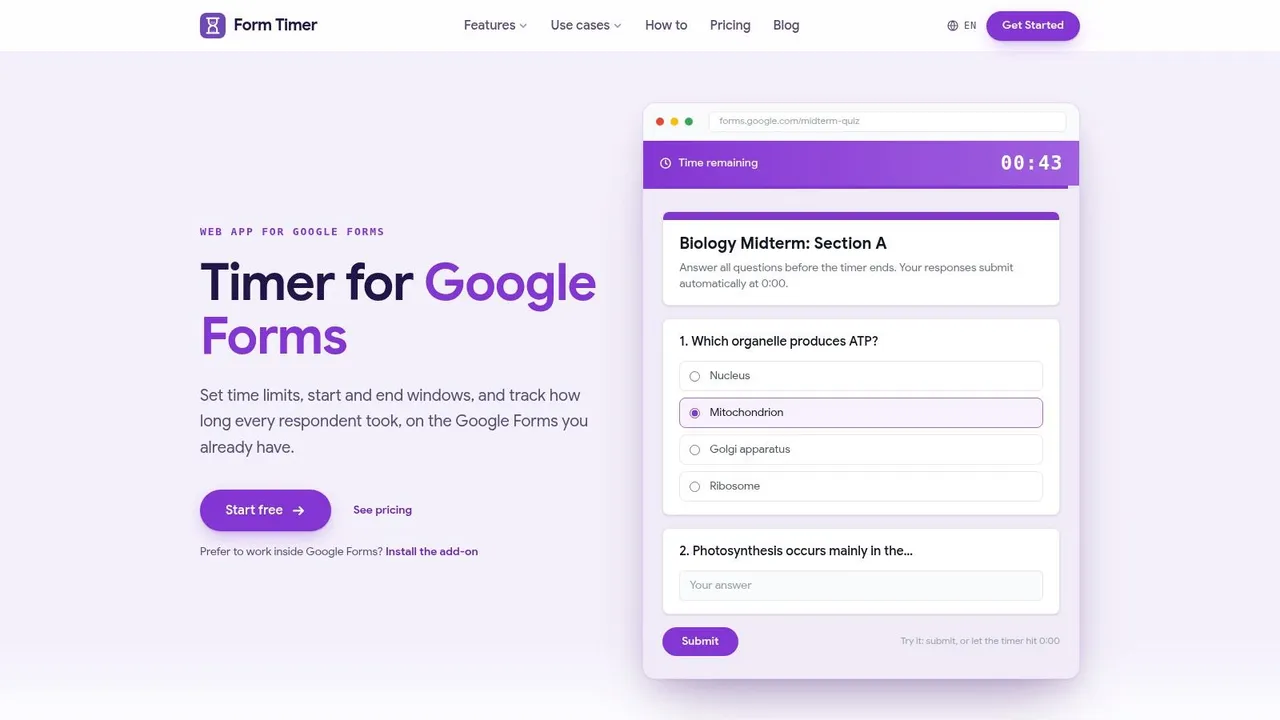
How a Timed Google Forms Workflow Runs
Say you’re running timed hiring tests in Google Forms for a cohort of operations candidates. You sign in through our web app (with nothing to install and setup typically taking under two minutes) or install the Timer for Google Forms add-on from the Google Workspace Marketplace if you prefer staying inside the Google Forms editor. From there, you set an opening date window so every candidate starts together, configure a hard closing date window to block late entries, and add an optional branded welcome page with instructions.
Each respondent’s individual allotment starts when they open the form, so someone who clicks in two minutes after the window opens still gets the full duration. You can pin a visible countdown bar to the top of the screen that automatically submits answers when time hits zero, or switch on hidden timer mode so respondents see a normal Google Form while we record elapsed time without showing it. Every submission writes three timing columns directly next to the answers in your linked Google Sheet (start time, finish time, and duration), along with each respondent’s status, giving graders an instant sheet-based audit trail.
Timing Integrity, Pricing Limits, and Trade-Offs
Browser-based delivery has become the default standard across assessment software. According to Dataintelo’s employee assessment software market report, cloud-based deployments represented approximately 67.8% of global revenue in 2025, with the market estimated at $3.15 billion in 2025 and projected to reach $6.93 billion by 2034 (a 9.2% compound annual growth rate). In a browser workflow, though, a client-side countdown isn’t enough if a candidate can reset the clock by refreshing the page. Our Pro plan keeps the authoritative clock on the server, adding server-side anti-cheat validation that makes beating the timer via reloads or reopened tabs much harder.
- Trial and Pro Boundaries: Our 14-day free trial includes all features across unlimited forms and writes response times to your linked sheet for the first 50 respondents. After the trial, forms still accept answers and previously written timing data stays in your sheet, while ongoing timing writeback, opening and closing dates, hidden timers, anti-cheat validation, and priority support require Pro.
- Link Discipline: Respondents must open our share link rather than the original Google Forms URL, or timing controls won’t trigger.
- Disclosure and Validation Responsibility: Form owners are responsible for notifying respondents when timing or monitoring features are active, and because the service is provided as-is, you should validate the workflow yourself before running high-stakes exams.
2. TestGorilla
A small healthcare operations team screening applicants to hire medical coder specialists rarely has three days to author and grade a custom exam. For that queue, building questions from scratch is the slow path. TestGorilla suits self-service hiring teams that want ready-made tests assembled quickly.
Below is a look at TestGorilla’s recruiting dashboard where teams assemble multi-test screens.
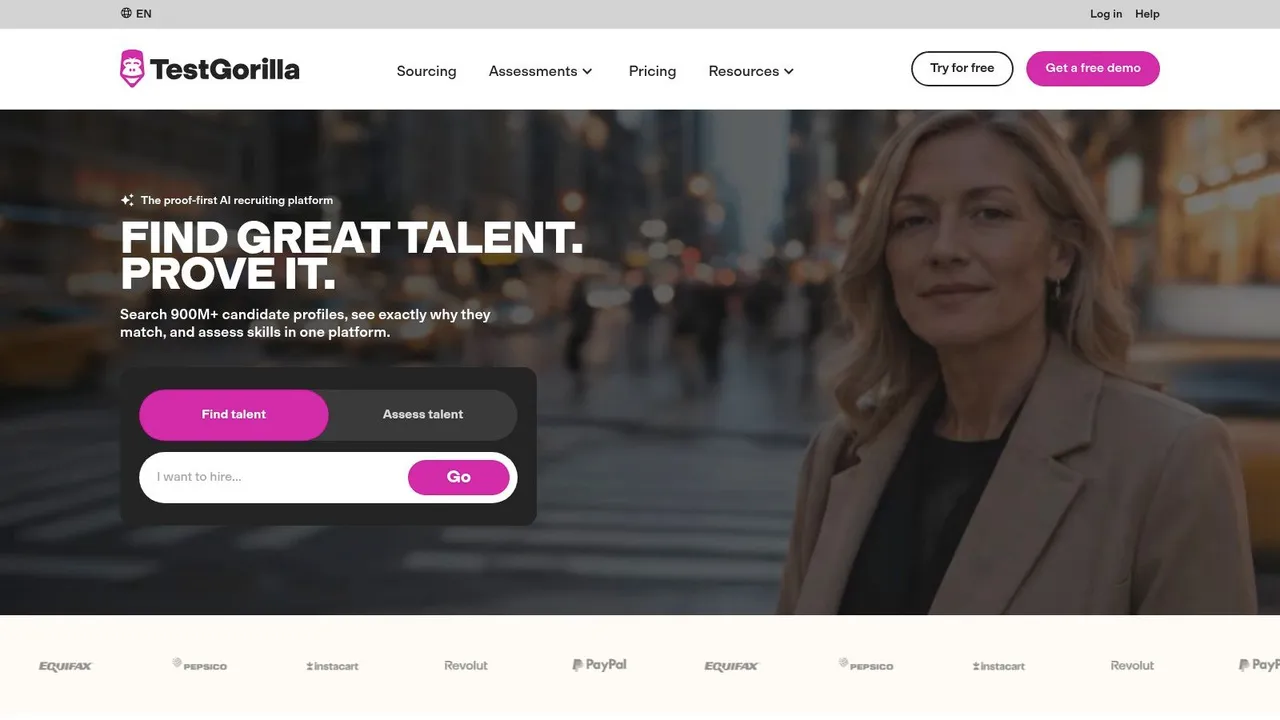
A practical workflow looks like this: choose from a broad library spanning cognitive ability, software proficiency, languages, and role-specific skills; add custom questions or video responses; send one candidate invite. Higher-tier plans can layer on job simulations and AI interviews, while each session runs as a timed assessment with monitoring features and results collected in a single comparison view. For batch hiring across time zones, pair those invites with disciplined exam scheduling software practices so cohorts start inside a defined window instead of drifting over weeks.
Timing and audit check: TestGorilla handles countdowns and candidate monitoring inside the assessment flow, which removes manual spreadsheet tracking for lean teams. If your review board expects a row-level audit trail, confirm exports before rollout: dashboards are strong for ranking candidates, while sheet evidence is built around start time, finish time, and duration on each response. Check tier boundaries too, because ATS integrations and custom branding sit above the entry tier.
Pricing is easier to inspect than most enterprise suites: there is a free plan and published paid tiers, but credit-based paid plans tie monthly spend to screening volume. The sharper trade-off is scope. TestGorilla is hiring-focused, so ongoing performance reviews and learning management still need separate software once the candidate becomes an employee.
3. Criteria
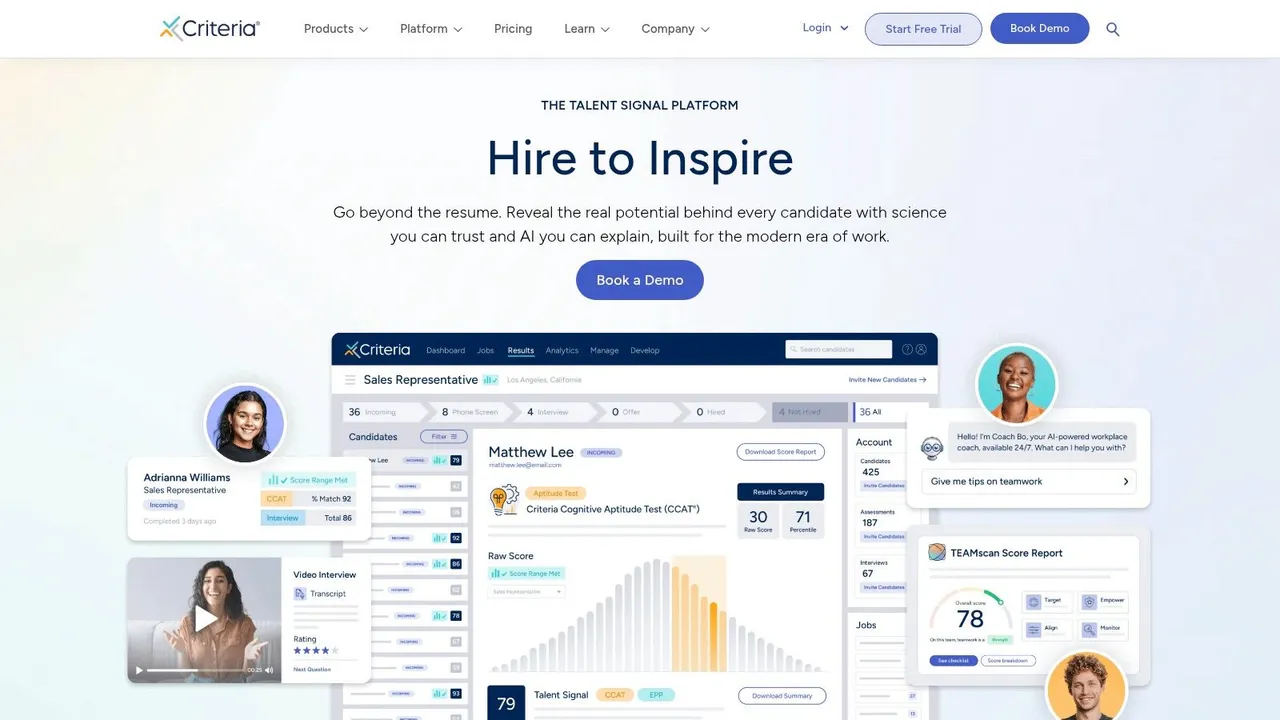
Combining multiple measurement methods consistently outperforms relying on a single score or an unstructured chat. A landmark APA PsycNet meta-analytic review synthesizing evidence across 19 selection procedures reported mean validity coefficients of 0.65 for predicting job performance when pairing a general mental ability test with an integrity test, and 0.63 when pairing general mental ability with either a work-sample test or a structured interview. (A 0.65 validity coefficient signals a strong statistical relationship, not that the test predicts 65% of a worker’s performance.) Criteria is designed specifically around that multi-measure philosophy, spanning both pre-hire evaluation and post-hire growth.
Here’s a look at Criteria’s hiring platform interface.
Workflow and Audit Trade-Offs
In practice, a talent lead uses TestMaker and Criteria’s template library to assemble role-specific batteries covering cognitive aptitude, personality, emotional intelligence, risk-related measures, and job skills. Once candidates are hired, teams can extend the same psychometric baseline into Criteria’s separate Develop product for workplace strengths profiles, collaboration guides, and employee development resources. Standard ATS integrations pull scores straight into your hiring pipeline so recruiters aren’t juggling raw CSV exports.
- Proctoring and Timing Control: Criteria supports optional proctoring, letting you add stricter monitoring on high-stakes or remote aptitude tests without forcing heavy surveillance onto every personality questionnaire.
- Configuration Overhead: Having five distinct assessment categories is a strength, yet configuring the right mix for each role takes deliberate setup time rather than a five-minute plug-and-play launch.
- Pricing and System Scope: Criteria offers a free trial and publishes positive customer testimonials regarding support and usability, but pricing isn’t publicly listed and requires a quote. Even with Develop included, you’ll still need separate tools for formal performance reviews and learning administration.
4. eSkill
Off-the-shelf test libraries work fine for general Excel or accounting screens, then fall flat the moment a role depends on proprietary procedures, niche software workflows, or internal compliance rules. Buying a generic test for a specialized role usually means measuring the wrong thing. That’s why organizations invest heavily in custom capability checks: Dataintelo’s corporate assessment tools market report estimates structured skills assessment made up 38.2% of 2025 revenue, with cloud platforms accounting for 67.4% of deployment and the overall category projected to grow from $4.8 billion in 2025 to $8.9 billion by 2034 (a 7.2% compound annual growth rate).
eSkill sits squarely in that customizable skills tier, serving both pre-hire screening and workforce training teams. Below is a view of eSkill’s assessment performance dashboard.
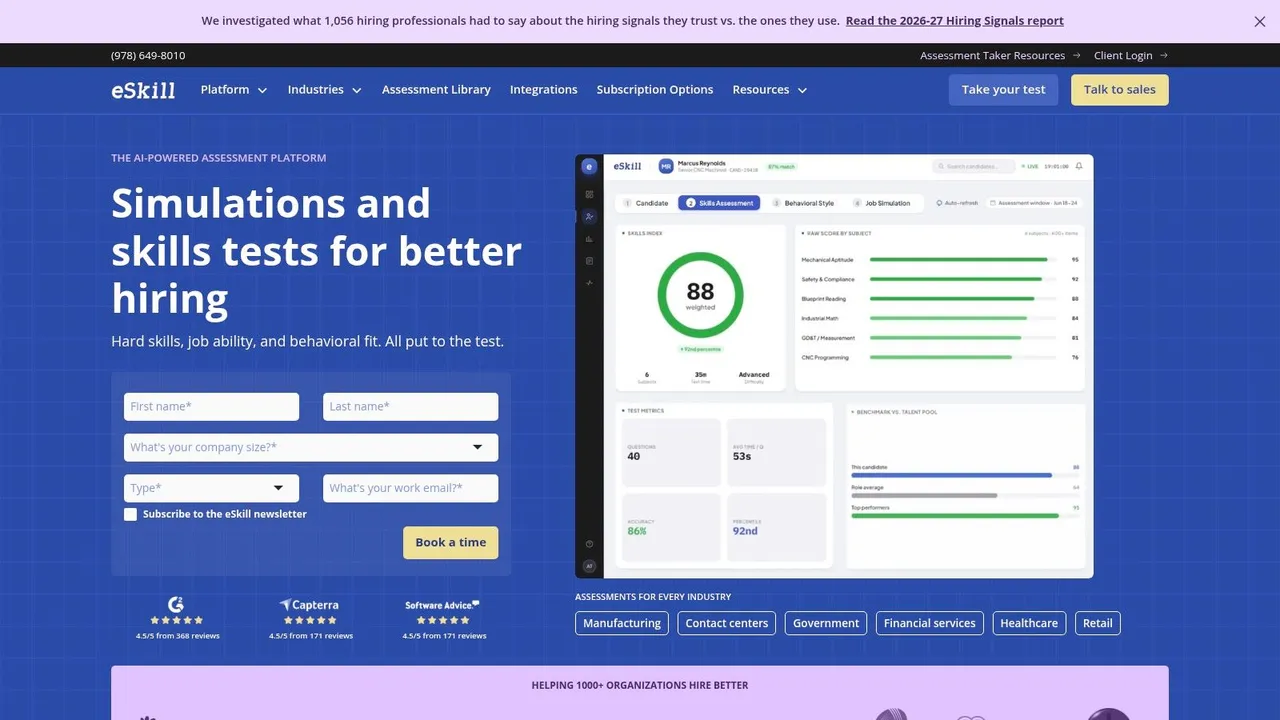
A typical eSkill workflow starts with mix-and-match assessment creation. You pull standardized modules from its large test library, then insert custom questions lifted directly from your internal manuals, call scripts, or training procedures. Plans also list video questions, behavioral tests, and anti-cheat tools, which matter when you’re running timed exams without cheating across remote applicants or distributed trainees. Standard ATS integrations keep pre-hire results aligned with candidate profiles rather than stranded in separate spreadsheets.
Customization buys job relevance, not instant launch speed. Plan to spend real time selecting modules and validating custom questions before your first cohort takes the test.
To offset that setup effort, eSkill includes assessment-expert support, onboarding, and candidate support inside its subscription packages, and the platform adapts well beyond purely technical roles. The trade-offs are straightforward: pricing requires a sales conversation rather than self-service checkout, and eSkill stays focused strictly on assessment rather than acting as a full HR or employee-development suite.
5. SHL
A hiring manager in Chicago and a panel in Singapore need to score analysts against the same standard, or the process becomes hard to defend. SHL fits that enterprise problem. It is built for standardized measurement across job families and geographies, with cognitive, personality, behavioral, situational-judgment, and skills assessments, plus consulting and customized assessment services when standard instruments don’t cover the role.
Here’s a look at SHL’s enterprise talent assessment environment.
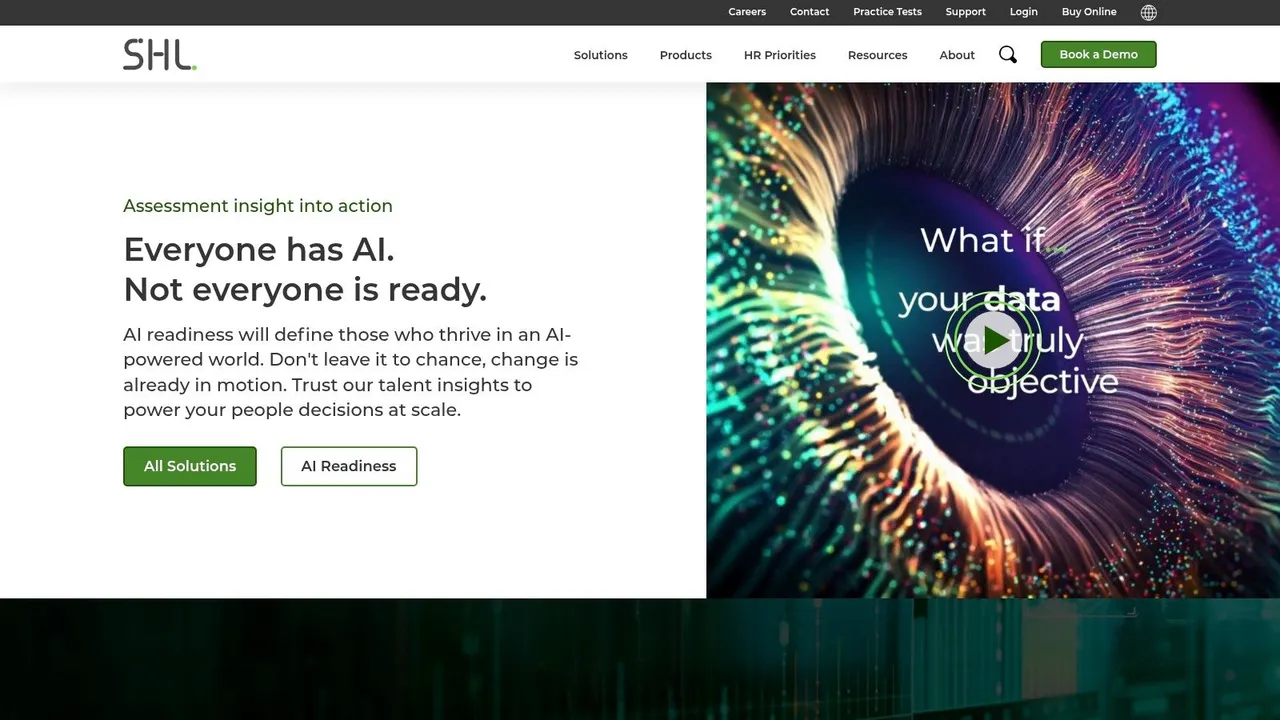
A practical SHL workflow usually starts with role mapping, then moves into a fixed assessment set, candidate invitations, score review, and comparison against the same benchmark. Enterprise teams coordinate assessment projects, candidate tracking, and standardized reports inside TalentCentral. Smaller project teams can buy selected products per item through SHL Online once they create an account. The trade-off is operational weight: large organizations get consistency across departments, while buyers need catalog knowledge or vendor guidance to choose instruments well.
Candidate Pressure and Accessibility Risks
Standardized timing protects comparability, but rigid timing and unfamiliar interfaces can penalize strong candidates. That risk matters in hiring screens, where pressure, accessibility needs, and interface friction can distort results. Treat timing as part of the assessment design, not a setting to switch on at the last minute.
A 2025 systematic review in Issues in Information Systems found that AI-driven hiring systems frequently fail to accommodate diverse disability needs and recommended accessible design, explainability, bias audits, and human oversight. The same review cites the Institute of Student Employers’ 2024 survey showing only 4% of graduate employers had a specific neurodiverse-hiring target. Before deploying strict timed tests in SHL or any comparable suite, document how candidates request extended time, screen-reader-friendly formats, or non-automated alternatives. That keeps typing speed and interface friction from being mistaken for job performance.
The buying decision also depends on process fit. SHL is a better match when standardization, governance, and cross-region comparability drive the purchase. It is heavier than most small teams need: self-service prices require an account and enterprise agreements are contract-based. For timed assessments where sheet-level timing data or server-side clock checks matter more than broad enterprise governance, a focused tool such as Form Timer may be the simpler operational fit.
6. Harver
Say a national retail chain or contact center opens fifty frontline seats and receives hundreds of applications before the weekend ends. Manually emailing test links, tracking who finished, and copying scores into an ATS turns recruiters into data-entry clerks. Harver is built specifically to automate high-volume assessment and selection workflows, with stated specialization in contact centers, retail, healthcare, and financial services, alongside internal talent assessments for mobility and employee development.
Below is a look at Harver’s recruitment and assessment workflow interface.
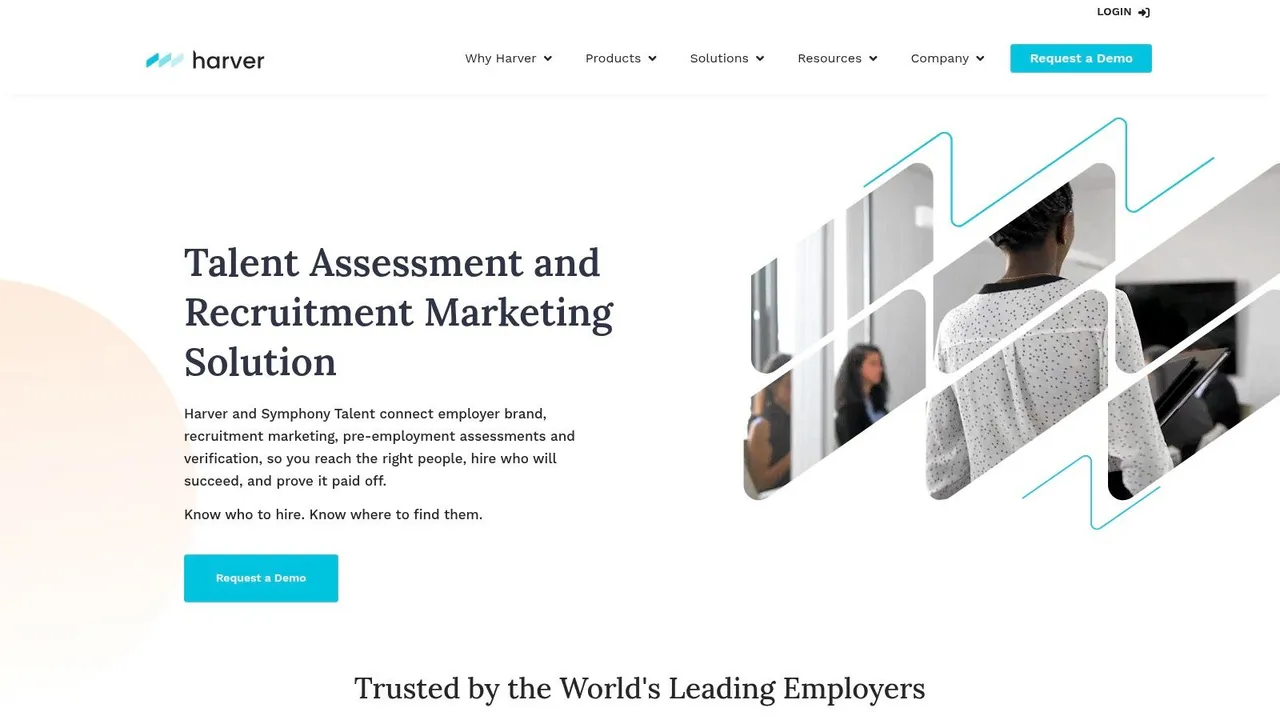
Instead of treating testing as a detached step, a Harver workflow ties screening directly into candidate progression:
- Prebuilt Job Profiles: Teams start from structured profiles built for common high-volume roles, reducing the time spent assembling screening steps from scratch.
- Multi-Format Assessments: Candidates complete skills, behavioral, and game-based formats rather than clicking through endless multiple-choice blocks, helping keep frontline applicants engaged across mobile and desktop sessions.
- Connected Selection Pipelines: Scores flow straight into Harver’s broader recruitment workflow features, eliminating sheet-based reconciliation when hundreds of candidates move through stages simultaneously.
Because high-volume workflows often use automated thresholds to shortlist candidates rapidly, validation discipline is essential. Confirm with Harver how each assessment module is validated for your specific roles and how scores feed into hiring decisions before automating rejections. On the commercial side, pricing isn’t publicly listed (you’ll need a demo or sales call), and the full platform is far more infrastructure than a small team needs for an occasional skills test.
7. Testlify
Teams that want tests, simulations, and asynchronous interviews in one workspace without sitting through an enterprise sales cycle often land on Testlify. It combines a catalog of 3,500+ assessments covering technical, cognitive, language, personality, and role-specific topics with custom tests, coding challenges, work simulations, and video, audio, and AI-interview options. Unlike quote-only competitors, Testlify publishes its pricing, advertises a 7-day free trial without a credit card, and includes three user seats on its Standard plan.
A typical Testlify screen combines a role-specific skills test with a short work simulation or recorded video prompt, backed by proctoring and ATS integrations (note that certain integrations and white-labeling features are tied to higher plans or paid add-ons on the Standard tier). That breadth makes it easy to consolidate multiple hiring steps, though a 3,500-test catalog demands restraint. Stitching together too many modules creates bloated assessments that drive good candidates away.
Governing AI Interviews and Proctoring
Bundling AI interviews and automated proctoring raises governance obligations that feature comparisons routinely gloss over. A 2025 ScienceDirect study on AI employment governance cites a 2025 ADP HR trends guide reporting that 85% of workers believe AI will affect their jobs within two to three years, and highlights that emerging employment-AI rules treat systems assessing employee behavior or performance as high risk, requiring testing, monitoring, record keeping, and human oversight. The paper also warns of an “AI arms race” as employers stack AI-detection checks on top of generative-AI candidate behavior, risking a shift toward surveillance rather than valid skill measurement.
Governance checklist before turning on AI scoring: Run predeployment validation on the exact role, issue clear candidate notices explaining what is monitored, set a mandatory human-review threshold before rejecting finalists, and keep a documented appeal or retake path for technical glitches.
Check the billing mechanics closely before committing to Testlify. Annual billing and credits that expire at the end of the billing cycle work well for steady recruiting teams, yet they penalize companies with sporadic, seasonal hiring spikes.
Employee Assessment Tools Compared
| Tool | Starting Price | Free Trial | Best For | Timing Controls |
|---|---|---|---|---|
| Form Timer | 14-day free trial; Pro plan available | 14 days; response times for first 50 respondents written to your sheet | Timed assessments using existing Google Forms, with sheet-based audit trails | Visible countdown, hidden timer, opening and closing windows, automatic submission, server-side anti-cheat validation |
| TestGorilla | Published starting prices | Free plan with 10 credits per month | Hiring teams seeking a broad test library and applicant comparisons | Timed assessments and candidate monitoring |
| Criteria | Quote required | Free trial available | Candidate assessment and employee development | Optional proctoring |
| eSkill | Quote required | Trial details not listed here | Custom skills assessments for hiring and workforce training | Anti-cheat tools listed |
| SHL | Some self-service prices require an account; broader solutions may be contract-based | Trial details not listed here | Standardized talent assessments across roles and regions | Timing details not listed here |
| Harver | Quote required | Trial details not listed here | Structured assessment for high-volume hiring | Timing details not listed here |
| Testlify | Published pricing | 7 days; no credit card required | Hiring teams combining assessments, simulations, and interviews | Proctoring available |
The practical split is workflow control versus test-library convenience. Form Timer fits teams that already run assessments in Google Forms and need the timing evidence to land in the linked Sheet. Its setup supports a visible countdown at the top of the form, a hidden timer when you want to measure duration without display, start and end windows, automatic submission when time runs out, and anti-cheat validation in Pro that makes refreshes or reopened tabs less useful for beating the clock.
For hiring teams, the trade-off is different. TestGorilla and Testlify are closer to assessment platforms, with published starting prices and monitoring or simulations in the buying case. Criteria and SHL suit standardized measures across roles, while eSkill fits custom job-specific tests and Harver fits high-volume structured selection.
Timing integrity should change the decision. If a candidate can refresh a tab and reset the clock, a timed test becomes a weak signal. If every response has start time, end time, duration, status, and time taken beside it in the Sheet, review and audit become simpler. Tell respondents when timing or monitoring is enabled, and validate the setup before using it for high-stakes assessment.
Choose Employee Assessment Tools by Workflow, Not Test Count
Every platform on this list solves a different operational bottleneck. Matching the software to how your team authors, times, proctors, and audits assessments saves far more money than chasing the biggest question bank.
- Timed Google Forms With Sheet-Based Audit Trails: Choose Form Timer when your assessments already live in Google Forms and you need synchronized start and end windows, automatic submission, server-side anti-cheat validation, and start, end, and duration data written straight into Google Sheets.
- Fast Self-Service Hiring Libraries: Choose TestGorilla or Testlify when you need ready-made tests, built-in monitoring, and published starting prices without waiting on a custom enterprise quote.
- Broader Psychometric and Talent Measures: Choose Criteria or SHL when you need standardized cognitive, personality, and situational assessments across multiple job families, or want assessment insights that extend beyond hiring into employee development.
- Custom Job-Specific Skills Tests: Choose eSkill when generic library questions miss your internal procedures, compliance rules, or workforce training curriculum.
- High-Volume Frontline Selection: Choose Harver when you process large applicant waves in contact centers, retail, healthcare, or financial services and want assessments tightly wired into selection workflows.
Your Three-Step Plan Before Signing a Contract
Before locking into an annual subscription or enterprise agreement, run a tight operational check across three steps. First, pilot one real role or training cohort using a free trial or self-service tier rather than judging a vendor on demo slides. Watch completion rates, candidate feedback, and how easily your team handles accommodation requests like extra time.
Second, compare raw timing data and audit exports side by side. Open the actual CSV, Google Sheet, or ATS record a tool produces and check whether you can verify start time, elapsed duration, completion status, and proctoring flags without manual cleanup.
Third, audit billing and renewal terms against your real hiring calendar. Confirm whether unused credits roll over or expire, whether ATS integrations, anti-cheat controls, or custom branding require a higher tier, and whether an annual commitment fits your actual assessment volume.
If your hiring screens, classroom exams, or training checks already live in Google Forms, you don’t need to rebuild them in a heavy testing suite just to control time limits. We add live countdowns, scheduled opening and closing windows, automatic submission, server-side anti-cheat checks on Pro, and automatic start, finish, and duration columns straight inside your linked Google Sheet. Start a 14-day free trial and test your first timed workflow at Form Timer.
The article is complete as written, ending with the divider and the Form Timer call-to-action paragraph. No sections remain in the outline after that point, so there’s no additional markdown to append.
Time your next Google Form
Free to start. Configure a countdown in minutes and see completion times in Sheets.